

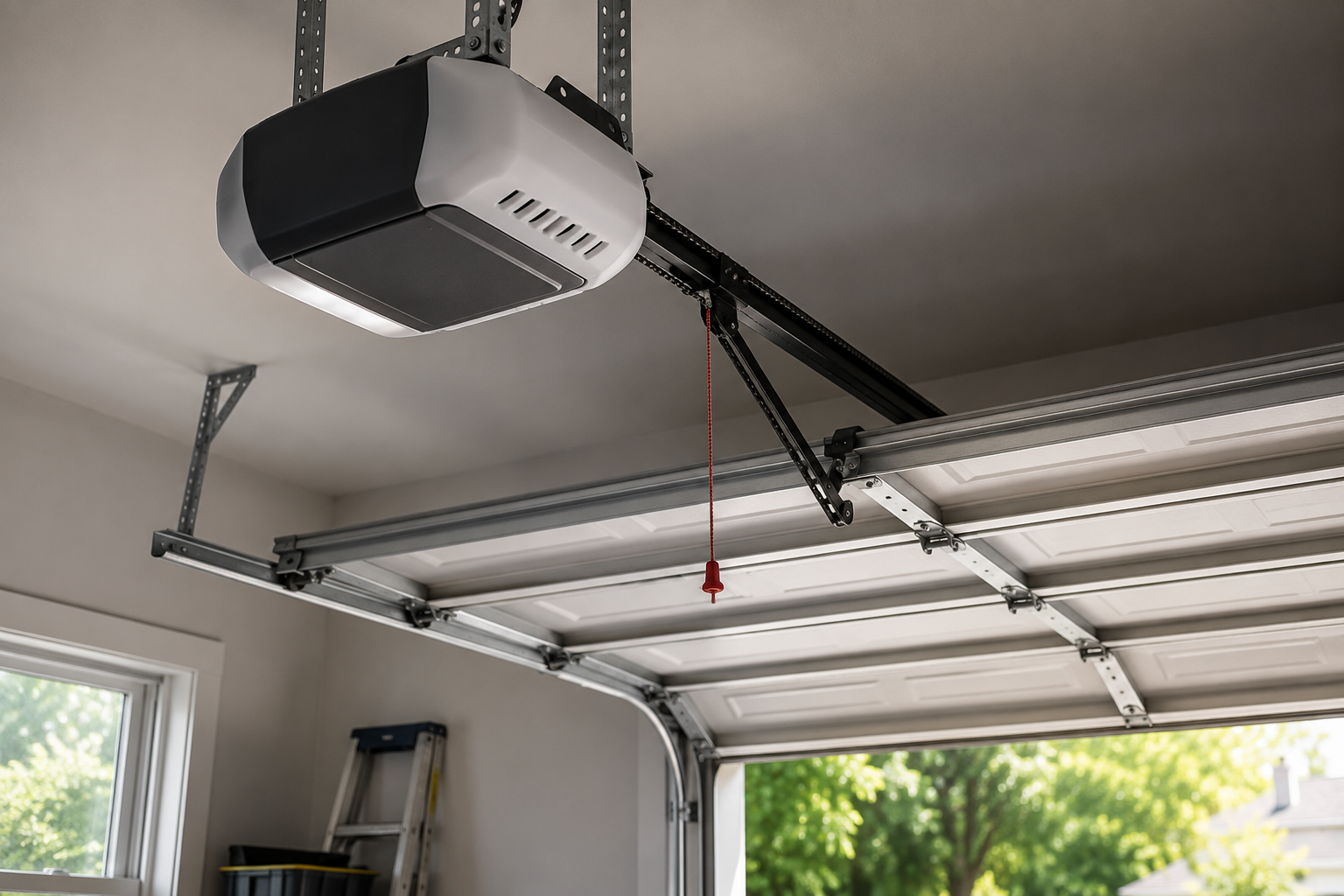
An old garage door opener still works fine mechanically, most of the time, which is exactly why so many sit untouched for a decade or more without anyone considering an upgrade. A Smart garage door opener upgrade doesn’t require replacing a perfectly functional motor and drive system just to gain remote access and smart home features. Retrofit devices can add connectivity to existing hardware for a fraction of the cost of full replacement, assuming the underlying opener is reasonably modern and in good mechanical condition. Knowing which path actually fits a specific situation, retrofit versus replacement, saves both money and the hassle of undoing a decision that didn’t need to be this complicated in the first place. The technical side isn’t as intimidating as it looks from the outside. Most of this takes an app, a Wi-Fi password, and maybe an hour on a Saturday afternoon.
1. Retrofit Kit or Full Opener Replacement
A retrofit device, usually a small unit mounted near the opener’s control board, adds Wi-Fi connectivity and remote access without touching the mechanical parts at all. These kits work well on openers built within roughly the last fifteen years, assuming the unit has standard safety wiring and a compatible control interface. Openers older than that, or ones with proprietary control systems, sometimes can’t accept a retrofit device cleanly, pushing the decision toward full replacement instead. Full replacement makes more sense too if the existing motor is nearing the end of its service life anyway, since pairing new smart features onto aging hardware just delays an inevitable second purchase. Checking the opener’s age and manufacturer before buying anything prevents an expensive mismatch discovered only after the retrofit kit arrives. Five minutes with a flashlight and a phone camera saves a return shipping label later.
2. Checking Compatibility Before Buying Anything
Manufacturer compatibility lists exist for a reason, and skipping that check is the single most common mistake homeowners make before attempting this upgrade. Most retrofit devices list specific opener brands and model ranges they support, since control board wiring varies enough between manufacturers that a universal solution doesn’t really exist. Voltage and wiring type matter too, particularly on older openers using a different safety circuit standard than what modern smart devices expect. A model number, usually printed on a sticker inside the opener’s housing near the motor unit, answers most compatibility questions in under a minute of searching online. Skipping this step and hoping for the best leads to returns, wasted installation time, and occasionally a fried control board on truly incompatible hardware.
3. Matter, Zigbee, and Why Protocol Standards Matter Now
Home automation integration used to mean juggling separate apps for every device, garage door, lights, thermostat, each one living in its own isolated ecosystem. Matter, a newer unified smart home standard, aims to fix that by letting compatible devices communicate across brands without needing a dedicated app for each one. Not every garage door opener supports Matter yet, though adoption is spreading quickly across major manufacturers releasing new models. Zigbee and Z-Wave remain common alternatives, each requiring their own hub, and checking which protocol a specific opener uses matters before assuming it’ll play nicely with an existing smart home setup. Buying based on protocol compatibility, not just brand loyalty, avoids ending up with a smart garage door that can’t actually talk to anything else in the house. A great app means nothing if it refuses to sync with the lights and thermostat already running the rest of the place.
4. What the Actual Installation Process Looks Like
Retrofit installation typically takes under an hour for anyone reasonably comfortable with basic tools, starting with mounting the small control unit near the opener and running a short cable to the safety sensor wiring. Power usually comes from an existing outlet or a direct tap into the opener’s own power supply, depending on the specific device being installed. App setup follows immediately after, walking through Wi-Fi connection, account creation, and initial door position calibration. Full opener replacement takes considerably longer, sometimes half a day, since it involves removing the old unit entirely and mounting new hardware, rail, and wiring from scratch. Professional installation makes more sense for full replacement specifically, given the safety sensor alignment and spring interaction involved in a proper setup.
5. Pairing, Testing, and Troubleshooting Common Setup Issues
Pairing a new smart opener or retrofit device with an existing smart home hub usually takes a few minutes, following an in-app prompt that searches for nearby compatible devices. Testing immediately after pairing matters more than people expect, confirming the door actually opens and closes on command before considering the job finished. Wi-Fi signal strength in the garage sometimes causes connectivity issues, particularly in a detached garage or one at the far end of a large property, occasionally requiring a Wi-Fi extender to fix reliably. Firmware updates should run immediately after initial setup too, since manufacturers frequently patch bugs and security issues discovered after a product ships. A quick test of the auto reverse safety feature after any opener change confirms the safety system still functions correctly with the new smart components installed.
Conclusion
Upgrading a garage door opener for smart home features doesn’t have to mean replacing a perfectly good motor just to gain remote access and app control. Retrofit kits solve this problem cheaply for compatible openers, while full replacement makes more sense for aging hardware nearing the end of its service life anyway. Door Pros helps Coachella Valley homeowners figure out which path fits their existing setup before recommending either option, rather than defaulting to whichever product happens to be easiest to sell. Getting the compatibility check right upfront avoids wasted money on a device that never should have been purchased for that specific opener. A properly upgraded garage door becomes one more piece of a connected home instead of the one component still stuck in the past, sitting there while everything else in the house already talks to a phone.
“Ready to make your garage door smart? Door Pros can help you upgrade. Call 877-787-3667.”
FAQs
Q1. Can I add smart features to my existing garage door opener in Palm Desert, CA?
In many cases yes, using a retrofit device that adds Wi-Fi connectivity without replacing the opener, as long as the existing unit is reasonably modern and compatible.
Q2. How much does a smart garage door opener upgrade cost in Indio, California?
A retrofit kit costs considerably less than full opener replacement, though the right choice depends on the age and condition of the existing hardware.
Q3. Do all smart garage door openers work with Google Home and Alexa in Coachella Valley, CA?
Most modern smart openers support at least one major voice assistant platform, though checking specific compatibility before buying avoids ending up with a device that doesn’t integrate with an existing smart home setup.