

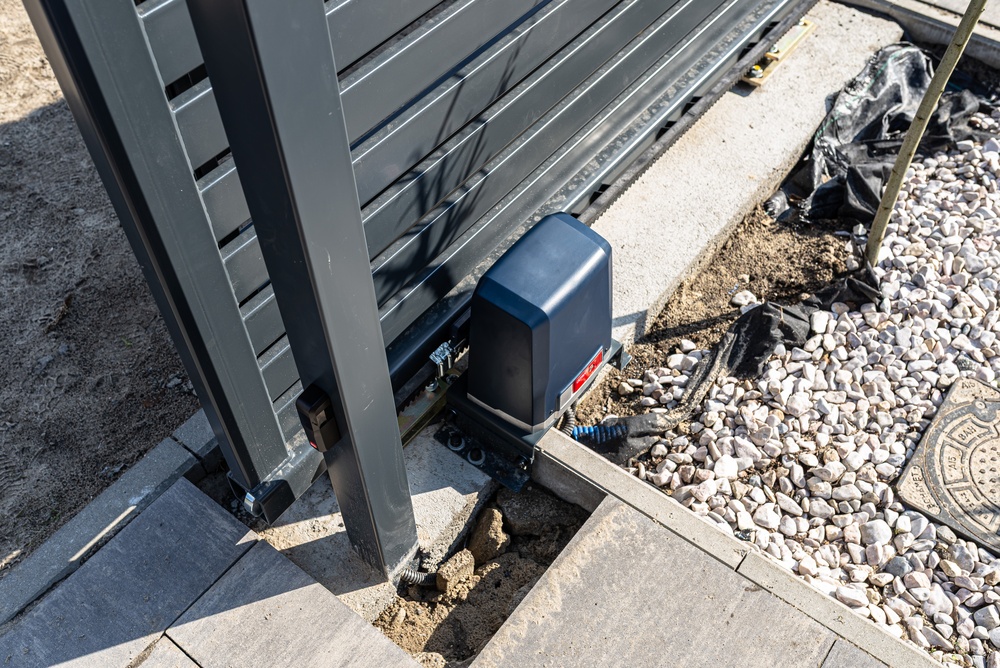
Picture yourself rolling up your own street after a long, draining day, and the garage door is already gliding open before you’ve even fully slowed the car down, no button, no phone, no fumbling around for a remote. That little slice of everyday magic is precisely what Tesla garage door integration quietly delivers once you’ve actually got all the pieces talking to one another. The whole system leans on two separate things working in close tandem: a HomeLink module that faithfully mimics your old garage remote, and your car’s onboard GPS, which always knows exactly when you’re closing in on home. Tie those two together properly and the door slowly learns to swing open as you approach the driveway and then shut itself again as you pull away. It honestly sounds wildly futuristic, but the setup turns out to be surprisingly approachable once you understand the order of operations. The one real catch is that not every car and every opener pair up the very same way, so a little planning upfront saves you a genuine heap of frustration later.
1. The Two Pieces That Make the Whole Magic Happen
At its very heart, this entire trick relies on one simple handshake passing back and forth between your car and your opener. The HomeLink module, tucked into newer Teslas as a paid add-on or built right into many of the older ones, basically becomes a fully programmable copy of that handheld remote clipped to your sun visor. Once it carefully learns your specific opener’s signal, the car itself can trigger the door on command with a tap. Layer your vehicle’s GPS right on top of that, and the car suddenly gains a real sense of place, knowing the clear difference between sitting parked in the driveway and cruising clear across town. Those two distinct abilities working together form the foundation for everything else that follows after.
2. Choosing Your Path Carefully Before You Even Start
There’s genuinely more than one road leading to an automatic door, and picking the right one upfront matters more than you’d guess. The classic Homelink vs. myQ for electric cars debate really comes down to whether you lean on the car’s native HomeLink system or on a smart opener’s separate app and automations. HomeLink talks directly to the opener through the car and quietly powers Tesla’s built-in auto-open feature, which is hands down the smoother of the two. A myQ-equipped opener, by sharp contrast, runs its automation through its own phone app and geofencing rather than through the car itself at all. Some openers happily play nicely with both worlds, while others firmly lock you into just one camp, so always confirm compatibility before you spend a dime.
3. Teaching the Door How to Open on Its Own
With your path finally chosen, the actual hands-on training turns out to be refreshingly straightforward. Setting up automatic garage door opening for EV use starts with parking the car just outside the fully closed door, then patiently walking the car’s HomeLink menu through learning your opener’s signal, usually with a quick press or two of the original handheld remote. The moment the door first responds to a simple tap on the screen, you’ve cleared by far the hardest part of the whole job. From there you’ll carefully set your home location so the car always knows where that door physically lives. Newer encrypted openers sometimes demand an extra little programming step right at the motor unit, so do keep that manual within easy reach.
4. Drawing the Invisible Circle All Around Home
Now comes the part that genuinely makes the whole thing feel automatic instead of merely manual. A proper smart home geofencing setup essentially tells the car to fire the door wide open the instant you cross an invisible boundary on your way back in, then to close it again as you drift back out. Inside the Tesla, you’ll simply flip on Auto Open or Auto Close and let the car quietly learn your usual approach over the course of a few trips. The accuracy of all this hinges heavily on a clean, strong GPS signal, so dense trees, tall block walls, or a weak fix can make the timing wander a little. Give it a few patient days to settle in, and the door starts anticipating your arrival almost like clockwork.
5. Ironing Out the Quirks and Keeping It All Secure
No automation ever runs flawlessly on day one, so do expect to spend a little time fine-tuning things. If the door insists on opening too early or far too late, nudging your saved home location just slightly will very often fix the stubborn timing. A door that flat-out won’t learn the signal usually means an older HomeLink struggling against a modern encrypted opener, which may call for a compatible gateway or a quick hand from a pro. Security genuinely deserves a thought too, since an auto-opening door is only ever as safe as the network and the rolling codes sitting behind it, so keep that firmware current. When the hardware simply refuses to cooperate, one short visit from a technician who actually knows these systems can save you hours of pure guesswork.
Conclusion
Syncing your garage door to your car’s geofencing quietly turns a small daily chore into something you genuinely stop thinking about altogether. The basic recipe stays simple once it’s all laid out plainly: a solid HomeLink connection or a smart opener, a trained signal, a saved home location, and geofencing switched on to handle the timing for you. Decide early whether you’re taking the native HomeLink route or leaning instead on a smart opener app, since that one choice quietly shapes everything that comes after it. Give the GPS a few honest days to learn your approach, tidy up the home location whenever the timing drifts, and keep one eye on security throughout. Get it all properly dialed in, and that door warmly greeting you on arrival never once gets old.
“Want your garage door to open the moment your Tesla pulls up? Call Door Pros at 877-787-3667 and we’ll get HomeLink and geofencing dialed in right.”
FAQs
Q1: How do I connect my Tesla to my garage door in Indian Wells, CA?
For Tesla owners in Indian Wells, CA, the native route is HomeLink, which you train to your opener’s signal, then set your home location and enable Auto Open. Park just outside the closed door during setup, and keep your original remote handy for the learning step.
Q2: Should I use HomeLink or myQ to open my garage with an EV?
In Indian Wells, CA, HomeLink gives the smoothest experience because it works through the car’s built-in auto-open feature. A myQ opener relies on its own app and geofencing instead, so confirm which one your opener supports before deciding.
Q3: Why won’t my garage door respond to my Tesla’s geofencing?
Usually it’s a weak GPS fix or an older HomeLink that can’t handle a modern encrypted opener, both common around Indian Wells, CA. Try adjusting your saved home location for timing issues, and consider a compatible gateway or a technician’s help if the signal won’t train.